


How to Capture Email and SMS Subscribers in a Shopping Conversation (Klaviyo, Attentive and Postscript)
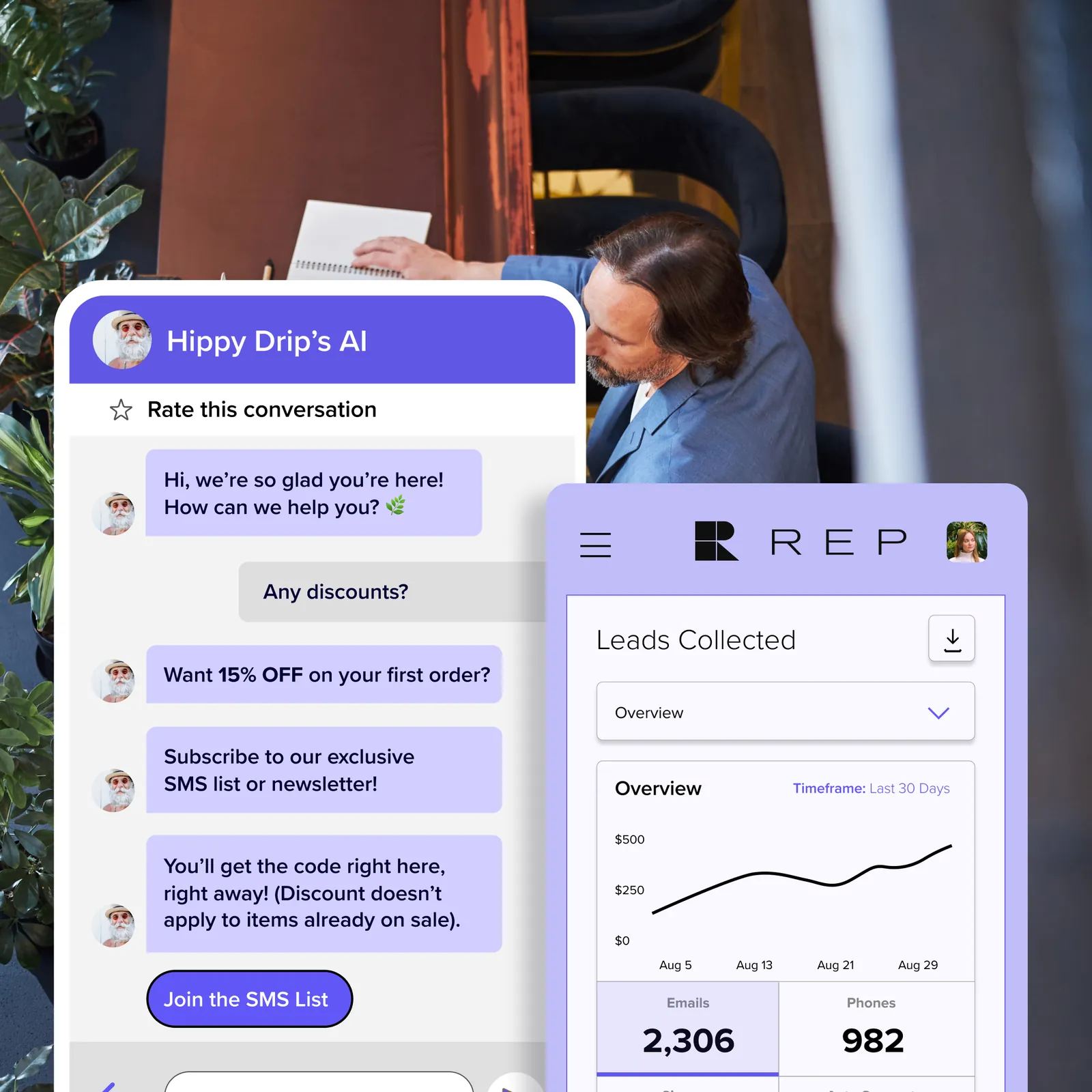
The short answer. Ask for an email address or phone number when the shopper has just received something useful and the exchange is clear, such as a restock alert, a sizing guide or order updates. Say what they will get and how often, record consent separately for email and for SMS, and pass the contact and the context of the conversation to your email or SMS platform. Do not ask before you have helped, and have counsel review your consent flow for the places you sell, including whether consent boxes may be pre-checked.
Disclosure: REP AI sells an AI agent for Shopify and is named in this guide. The method applies to whichever AI agent you use. The Klaviyo sync described below is the one REP AI integration discussed. REP AI does not offer SMS.
This guide describes a method. It is not legal advice and it does not promise a sign-up rate, because results depend on your traffic, your offer and how you measure.
Why a conversation can be a better place to ask
Some pop-ups ask for an email before the shopper has a reason to give one. A conversation can ask after the shopper has a reason: their question was answered, their size is sorted, or a product they wanted is not available yet. The request is specific ("want an email when it is back?"), and the shopper knows what the email will be for.
A conversation also holds context that a form does not: which product the shopper was looking at, what concern they raised, and what they said they wanted. Data a shopper shares on purpose like this is sometimes called zero-party data. It can be more useful in your email platform than a bare address, because it can tell you what to send.
What to collect, and why
| Data | Purpose | Note |
|---|---|---|
| Email address | Email marketing or a one-off notification | Collect if you will use it for what you said |
| Mobile number | SMS marketing | Collect with clear SMS consent, separate from email |
| Consent status, time and wording shown | Proof of what the shopper agreed to | Store the wording version, not just a yes |
| Source | Know the contact came from chat | Use a consistent source name |
| Interest or category | Segment and personalize | Use what the shopper said, not a guess |
| The shopper's stated need | Choose the right follow-up | For example a gift, a size, a restock |
Skip anything you do not need. Each extra field adds friction and adds data you must protect.
Step 1: Decide what the shopper gets
Write one sentence for each offer: "We will email you when this is back in stock", "We will send the sizing guide to your inbox", "We will text you shipping updates on this order". If you cannot say what the shopper gets, do not ask. Keep each offer separate, and make your consent wording say exactly what the shopper is agreeing to. Get consent for each type of message, and ask counsel how each is classified in the places you sell.
Step 2: Choose the moments
Pick a small set of moments where an ask is natural:
- Out of stock or low availability. Offer a restock notice.
- After a fit, size or product question. Offer to email the guide or a short list of the products discussed.
- Gift finding. Offer to email the shortlist so the shopper can share it.
- After an order-status answer. Offer shipping updates by text, with consent captured first, if the shopper wants them.
- Cart questions. Offer to save the cart by email. Make sure the offer matches what your cart emails actually do.
Do not ask in the opening message of a conversation, and do not ask again in the same session if the shopper says no.
Step 3: Ask in plain words
- Help, then ask. The shopper's question gets answered before any request.
- Say what, and how often. "A restock notice, one email" is clear. "Updates" is not.
- One ask at a time. Start with email. Treat SMS as a separate step, taken when you have a reason.
- Make "no" easy. "No thanks" ends the topic for the session, and the shopper keeps the answer they came for.
- Do not gate the answer. A shopper should not have to give a contact detail to get a price, a size or a policy.
Illustration (an example of structure, not a customer conversation or a measured result; the agent's answers must come from the store's own data):
Shopper: Is this one coming back in stock?
Agent: I don't have a restock date for it. I can email you when it is available again. Want that?
Shopper: Yes please.
Agent: What email address should I use? It will be used for that one notice. If you would like occasional offers as well, tell me and I will ask you about that separately.
REP AI does not offer SMS. Where a tool does collect phone numbers, the ask works the same way: it shows the consent wording supplied by the merchant's SMS platform and waits for a clear yes before it saves the number.
Step 4: Record consent properly
- Separate consent for each channel. Agreeing to email is not agreeing to text messages.
- Unchecked and affirmative. In many markets the shopper must take a clear action to agree, and silence or a "maybe" is not consent. Ask counsel what applies where you sell.
- Show the wording. The shopper should see what they agree to, including how to opt out and a link to your privacy policy.
- Keep a record. Store the time, the channel, the exact wording version and where it was captured.
- Honor opt-outs and bounces in all systems, including the one that captured the contact.
- Tell shoppers they are talking to an AI. Say so in the chat, and say how chat data is used.
Step 5: Send the contact and the context to your platform
Klaviyo
REP AI syncs conversation attributes to Klaviyo. Our integrations page is at /integrations. Whichever attributes arrive, check in Klaviyo how each attribute is stored, give it a clear name, decide which segments will use it, and document it.
Keep two things apart in Klaviyo: the attributes from the conversation and the subscription and consent status. Confirm how consent is recorded for anyone who joins through chat, and check your Klaviyo account's own documentation for how email and SMS consent are stored and how a sign-up is recorded.
Attentive and Postscript
Attentive and Postscript are text-message marketing platforms. This guide gives method and consent guidance for them and makes no claim about any AI agent's integration with either. If you plan to collect phone numbers in chat, there are two routes.
- Hand off to the platform's own opt-in. The AI agent offers a link, a sign-up form or the platform's text-in keyword, and the SMS platform captures the number and records consent itself. This is the simpler route, and the consent record sits where your SMS team expects it.
- Capture in chat and pass it on. The AI agent shows consent wording, collects the number and sends it to the SMS platform. Use this route if both vendors confirm in writing that the number and the consent record are passed together, with a timestamp and the wording shown.
Ask your SMS platform for the exact disclosure wording, opt-out keywords and any content rules it requires, and use them as given.
Step 6: Deliver what you promised, right away
A restock notice should arrive when stock returns. A sizing guide should arrive within minutes. If the shopper agreed to marketing, send a welcome message that repeats what they signed up for and how to leave. Keep the gap short, so the shopper still remembers what they signed up for.
Step 7: Test it like a shopper
- Use a phone. Open the chat on iOS and Android, and check the keyboard does not cover the input or the consent text.
- Try bad input. Mistyped emails, numbers with spaces, and a number that is already subscribed.
- Say no. Check the agent accepts it, does not ask again, and still answers the original question.
- Follow one contact end to end. Check the profile, the source, the consent record, the segment and the welcome message.
- Unsubscribe. Check the opt-out works and the contact is removed from the right lists.
Consent and compliance
This is not legal advice. Rules on email marketing, text-message marketing, privacy and data protection differ by country, by state and by platform, and platform terms add their own requirements. Follow the rules of the places where you sell and of each platform you use, and have counsel review your flow before it goes live.
Ask counsel to review at least:
- The consent wording for email and for SMS, and where it appears in the chat.
- How consent is recorded and how long you keep the record.
- Opt-out handling across the chat, your email platform and your SMS platform.
- When and at what hours you may send, and any rules for specific regions.
- Your privacy notice, and how it covers chat transcripts and AI use.
- Any limits on collecting data from minors, or on sensitive topics, in the markets you serve.
Two habits are worth adopting. Do not treat a support conversation as marketing consent: someone asking about an order has not agreed to promotions. And do not collect sensitive personal information in chat unless counsel has approved it.
What to measure
Define each measure before you launch.
- Opt-in rate per chat that reached an ask, for email and for SMS separately.
- Quality of the new contacts. Do they open, click and buy, compared with contacts from other sources?
- Unsubscribes and complaints for the chat-sourced group.
- Deliverability signals in your email platform, such as bounces and spam complaints.
To test whether chat capture adds subscribers, run a comparison: show the capture flow to part of your traffic and not to the rest, and compare sign-ups per session for the two groups. Comparing people who chatted with people who did not can be misleading, because people who start a conversation may already be more interested.
Mistakes to avoid
- Asking before helping, or gating an answer behind an email address.
- Combining email and SMS consent in one line.
- Adding customers to a marketing list because they asked a support question.
- Re-subscribing someone who opted out.
- Sending a discount code the shopper was not told about, or one that does not work.
- Passing a phone number to an SMS platform without the consent record.
FAQ
How can a chatbot capture email subscribers on Shopify? It asks at a natural moment, such as a restock request or after a sizing answer, says what the shopper will receive, records consent, and passes the address and context to your email platform. Test the flow on a phone before launch.
Which AI tool captures emails and segments shoppers by intent in conversation? Look for four things in any product: it asks at sensible moments, it records consent in a way you can audit, it passes data to your email or SMS platform, and it lets you build segments from what the shopper said. Ask any vendor whether its chat can collect email addresses. The REP AI fact this guide covers is that conversation attributes sync to Klaviyo.
Does REP AI work with Klaviyo? Conversation attributes sync to Klaviyo. Our integrations page is at /integrations.
Can an AI agent collect phone numbers for SMS? It depends on the product and your SMS platform. Ask both vendors how the number and the consent record are passed. If you cannot get a clear answer, send the shopper to your SMS platform's own sign-up.
Is a support conversation consent to marketing? Do not assume it is. Ask for marketing consent separately, with clear wording, and ask counsel what the rules in your markets require.
Can I try this on my store? REP AI offers a 14-day free trial with no credit card required, and a simulator at /simulator.
More from REP AI


Want to see what your store would do with Rep?
Run your real Shopify catalog through the simulator before you commit to anything. No sales call required.

